1 tap
for your client to confirm the slot you offer them
0 apps
for your clients to download — everything happens from a link
60 sec
to set up your list and add your first client
How it works
From cancellation to confirmed, without a single phone call.
01/The list
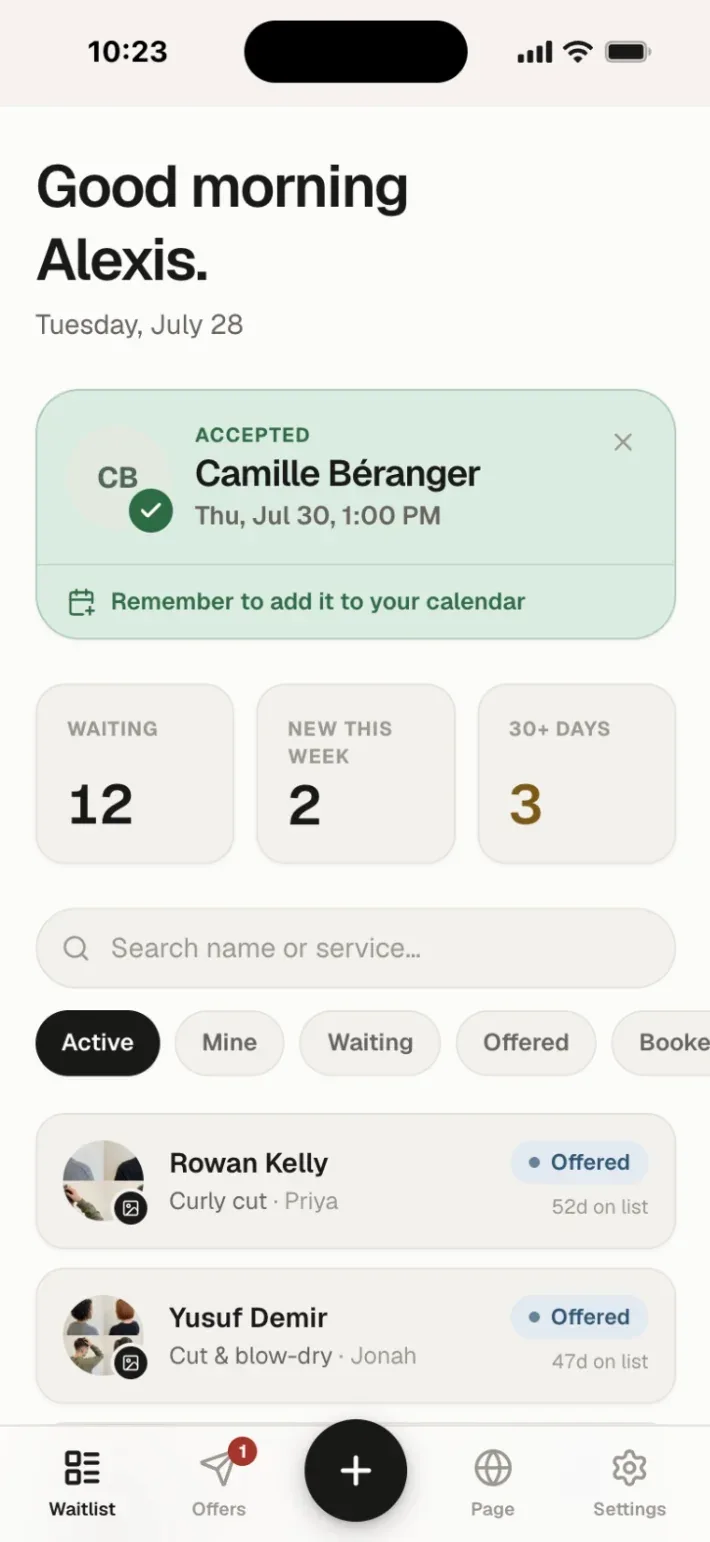
Everyone who couldn’t get a time, on one screen.
They sign up from your page, or you add them in seconds. Service, preferred dates, mornings or evenings — it's all on the card.
02/The client
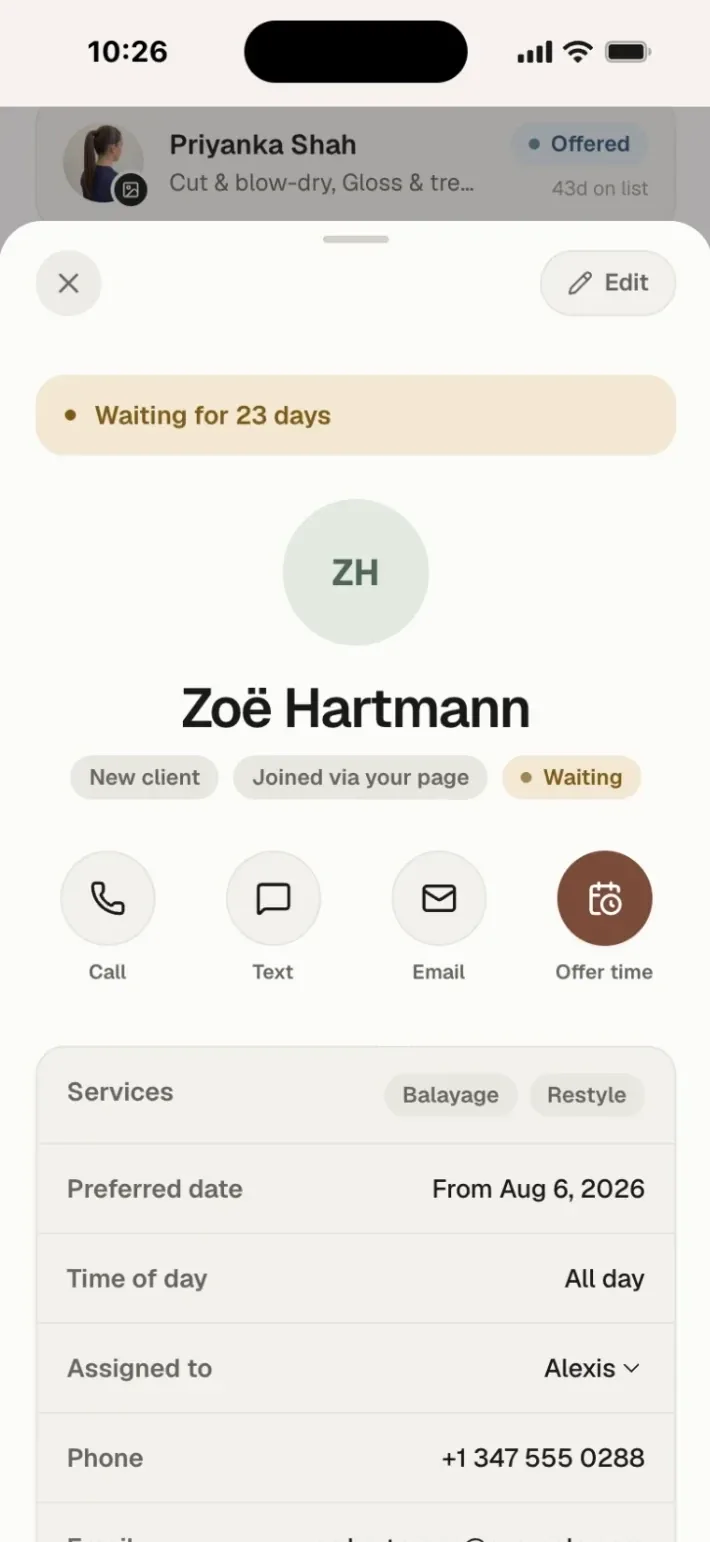
Open a name and you know what they’re waiting for.
Services, preferred dates, who they see, and your private notes — allergies, formulas, the things you'd rather not have to remember.
03/The opening
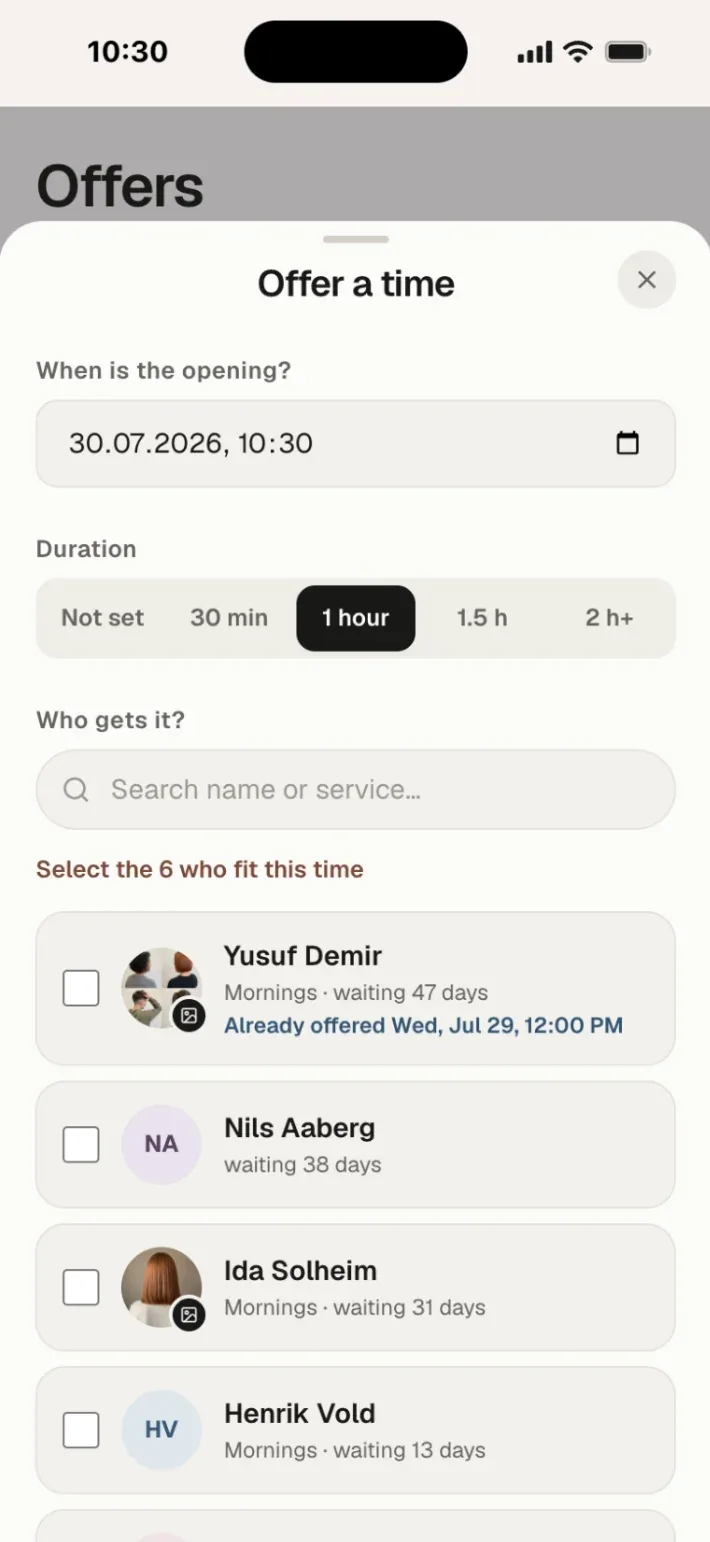
A cancellation lands. Offer it to whoever fits.
Pick the time and the length, and the app shows you who's waiting for exactly that. Send it to one client — or to six at once.
04/The answer
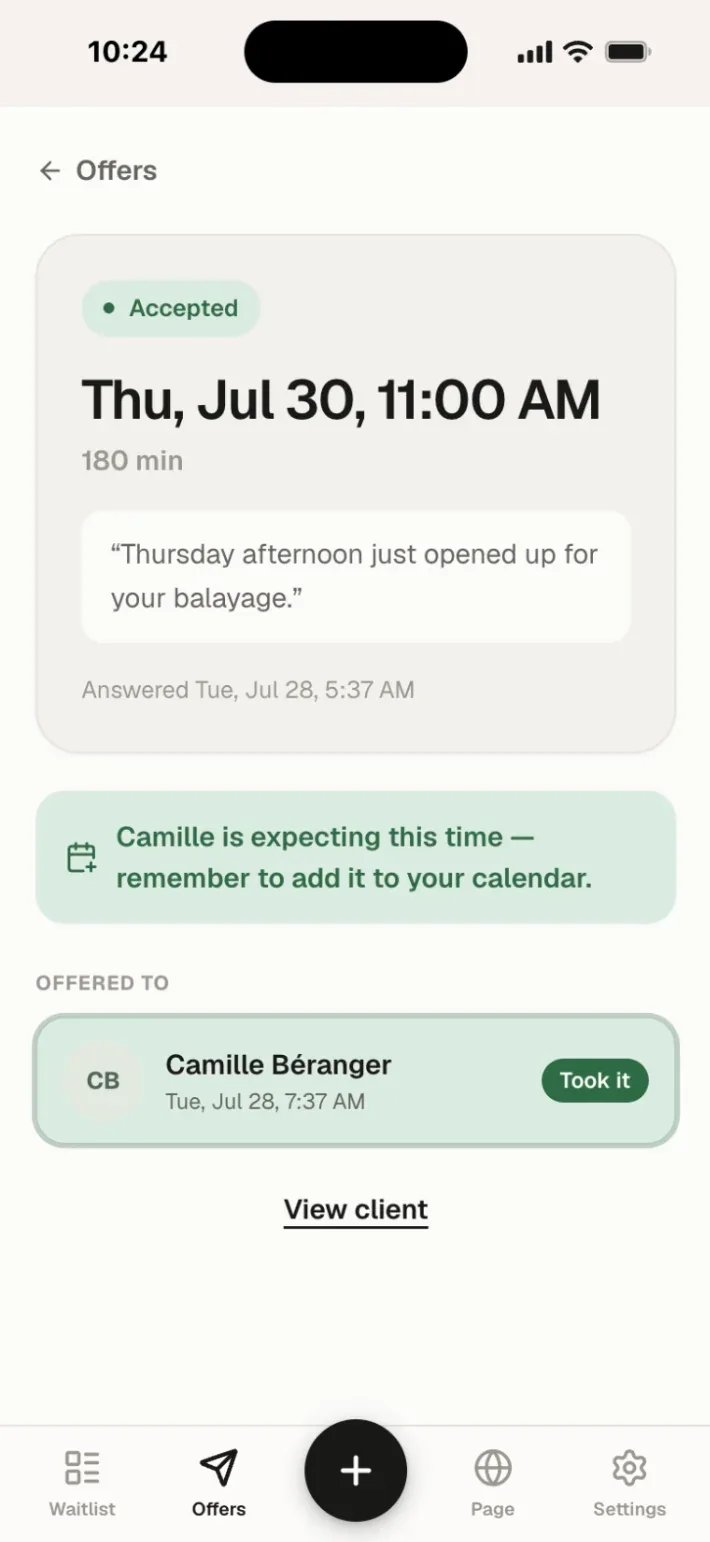
First to tap gets it. You just watch it land.
Your client confirms from a link — no app, no account, no password. The slot closes, everyone else is told, and your list updates itself.
Their side of it
One link. One tap. No app to download.
- MyWaitlist.app writes the message. Send it by email, or copy a link and text it.
- Your client answers on a page in your brand — no app, no account, no password.
- Set a reply-by time. No answer, and the slot frees up for the next person on the list.
- Offer one slot to several clients at once — first to tap gets it.
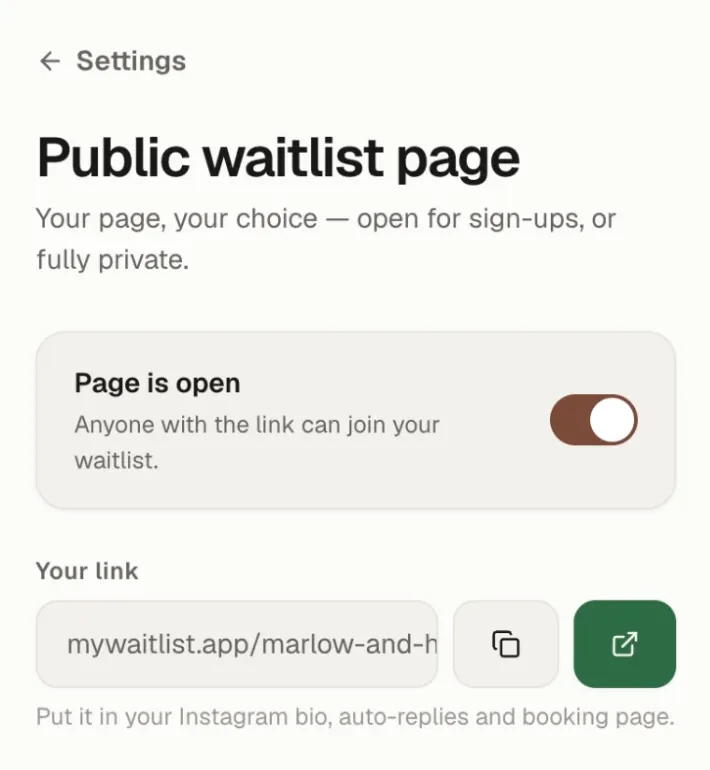
Open or private — your call
Most tools force your books open. This one has a switch.
Open mode
Your own page at mywaitlist.app/your-name, in your color and with your services. Put it in your Instagram bio and clients add themselves while you work.
Private mode
Fully booked or referral-only? Switch the page off. You add every client yourself and decide who gets the next opening.
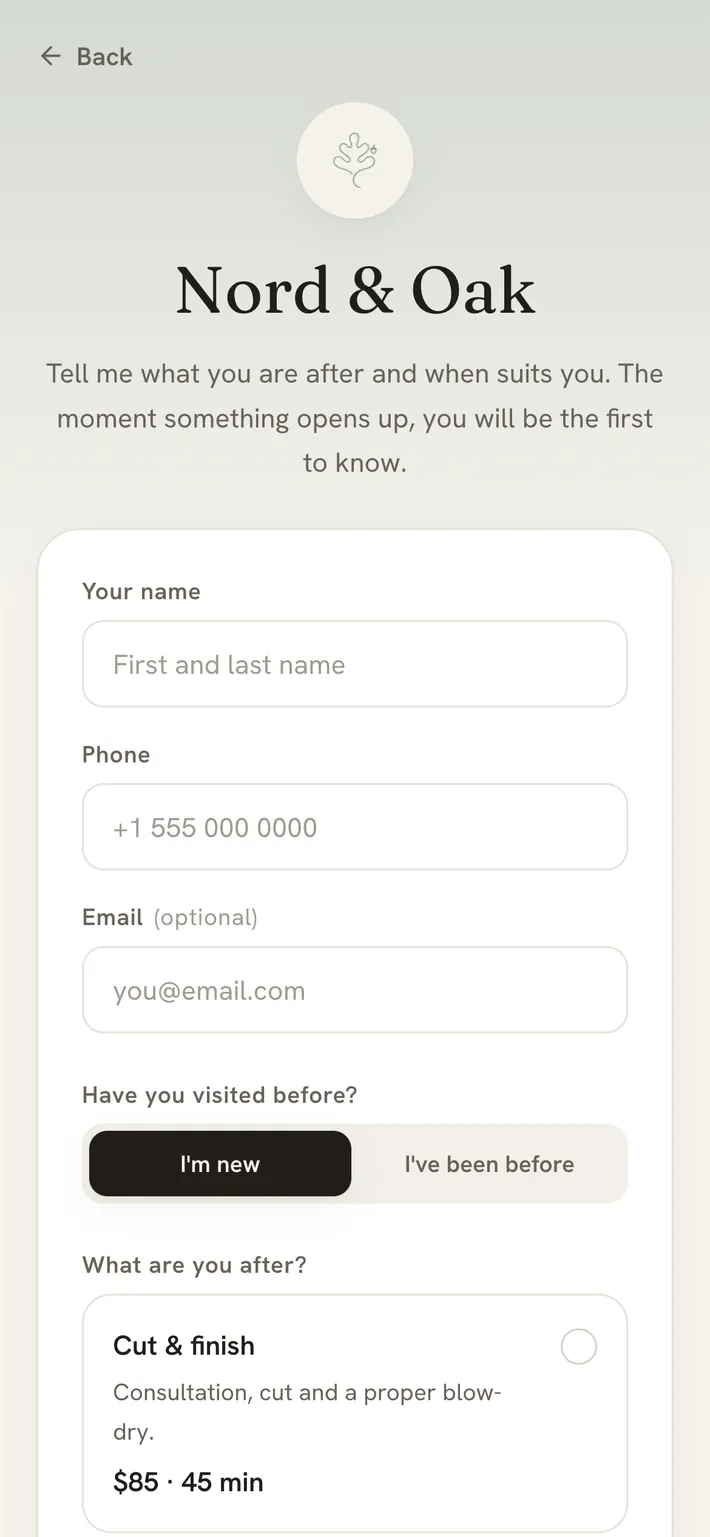
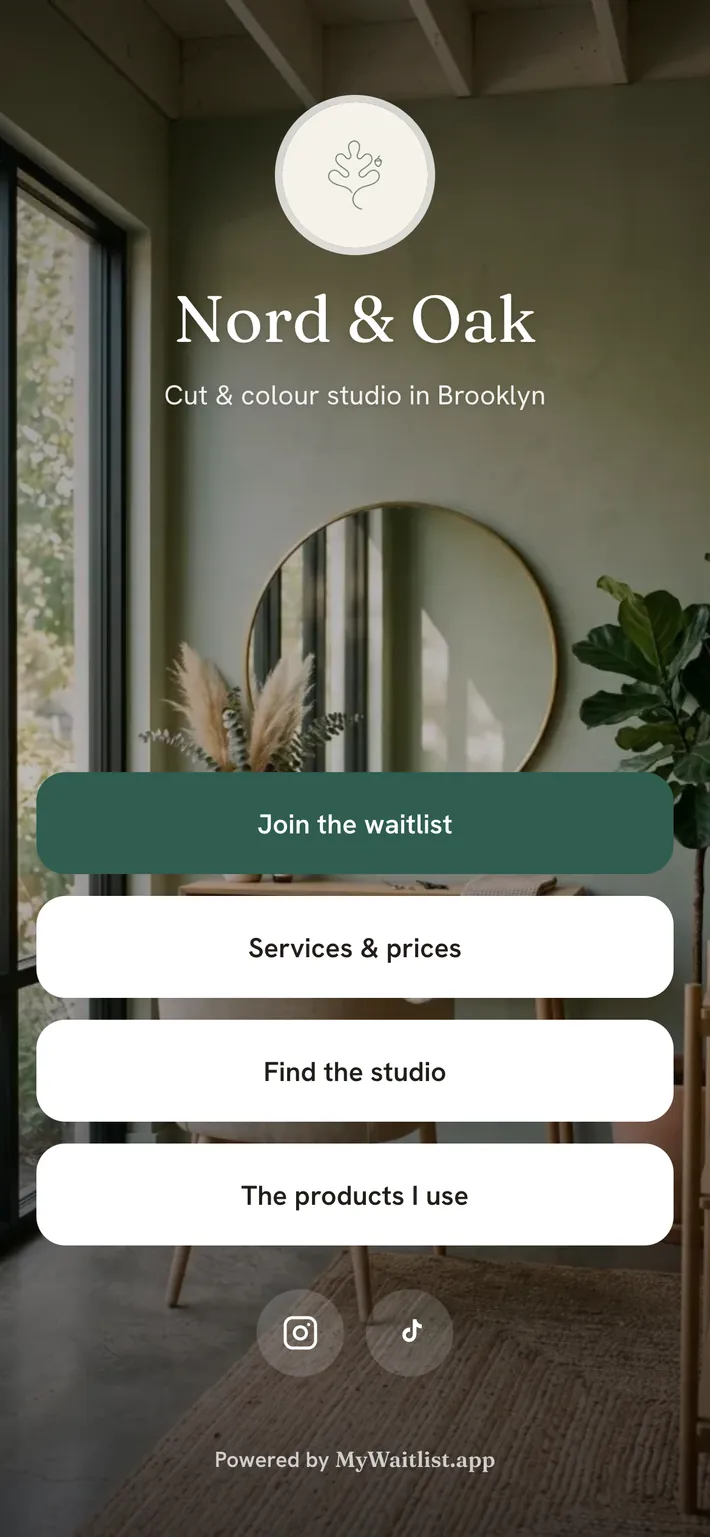
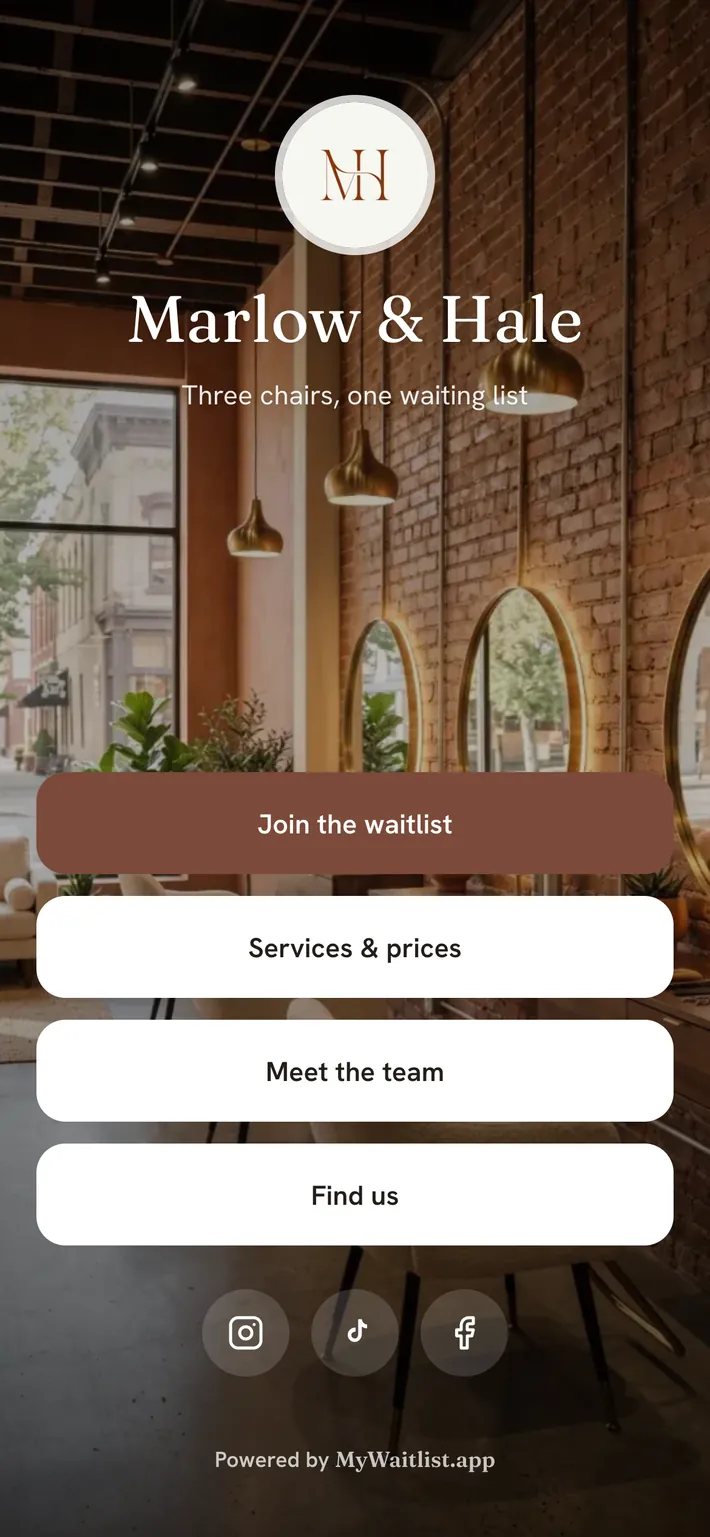
Your page
It carries your name and your color. Not ours.
A photo, your services, your prices and a sign-up form that asks the right questions. One link for your bio, your auto-replies and your booking page.
Built for your craft
If you take appointments, this is for you.
Estheticians, lash & brow artists and every other appointment pro too.
Made for teams
Invite your salon, share one list, assign each client to the right chair.
Private client notes
Allergies, formulas, preferences — visible to you, never to the client.
30+ days flag
See who's waited longest, so nobody falls through the cracks.
Email, text or call
One-tap contact on every client, straight from the list.
Your brand, your color
Your page and your offers carry your name and color, not ours.
Lives on your phone
Mobile-first for the salon floor, with a desktop view for the front desk.
Cancellation cost calculator
What are empty slots costing you?
Put in your own numbers and see the yearly total.
$13,260 /year lost
- Per week
- $255
- Per month
- $1,104
- Per year
- $13,260
$6,630 /year recovered
- Recovered revenue
- $6,630
- MyWaitlist.app Solo
- −$100/yr
- Net gain
- $6,530
Pays for itself by refilling just 2 appointments a year.
Estimate based on your own inputs. Actual results vary.
Pricing
One filled slot pays for the month.
14 days free · Nothing charged today · Full pricing details
Questions, answered
Is MyWaitlist.app a booking system?+
No — it's the layer your calendar is missing. Keep whatever calendar or booking system you already use. MyWaitlist.app handles the clients it can't fit: they join your list, and you offer them a slot when one opens.
Do my clients need to download an app?+
No. Clients join from a simple web page and answer offers from a link — no app, no account, no password.
Can I keep my waitlist private?+
Yes — that's the point. Run an open sign-up page, or switch it off and add every client yourself.
What does it cost?+
Solo is $9.99/month and Team is $24.99/month, with two months free if you pay yearly. Every account starts with a free 14-day trial. You add a card at signup, but nothing is charged until the trial ends — cancel before then and you pay nothing.
Does it work for teams and salons?+
Yes. On the Team plan you invite colleagues, share one waitlist, and assign clients to a specific stylist, therapist or artist.
Can I cancel anytime?+
Anytime, in two clicks, from inside the app. Your data stays yours.
Never lose a client to an empty slot again.
Set it up in about a minute — add your first client before your next appointment.
Start free — 14 days14 days free · Nothing charged today · Cancel anytime